
Dear user, thank you for using and supporting our products. If you wish to delete your account, please follow the steps below:
-
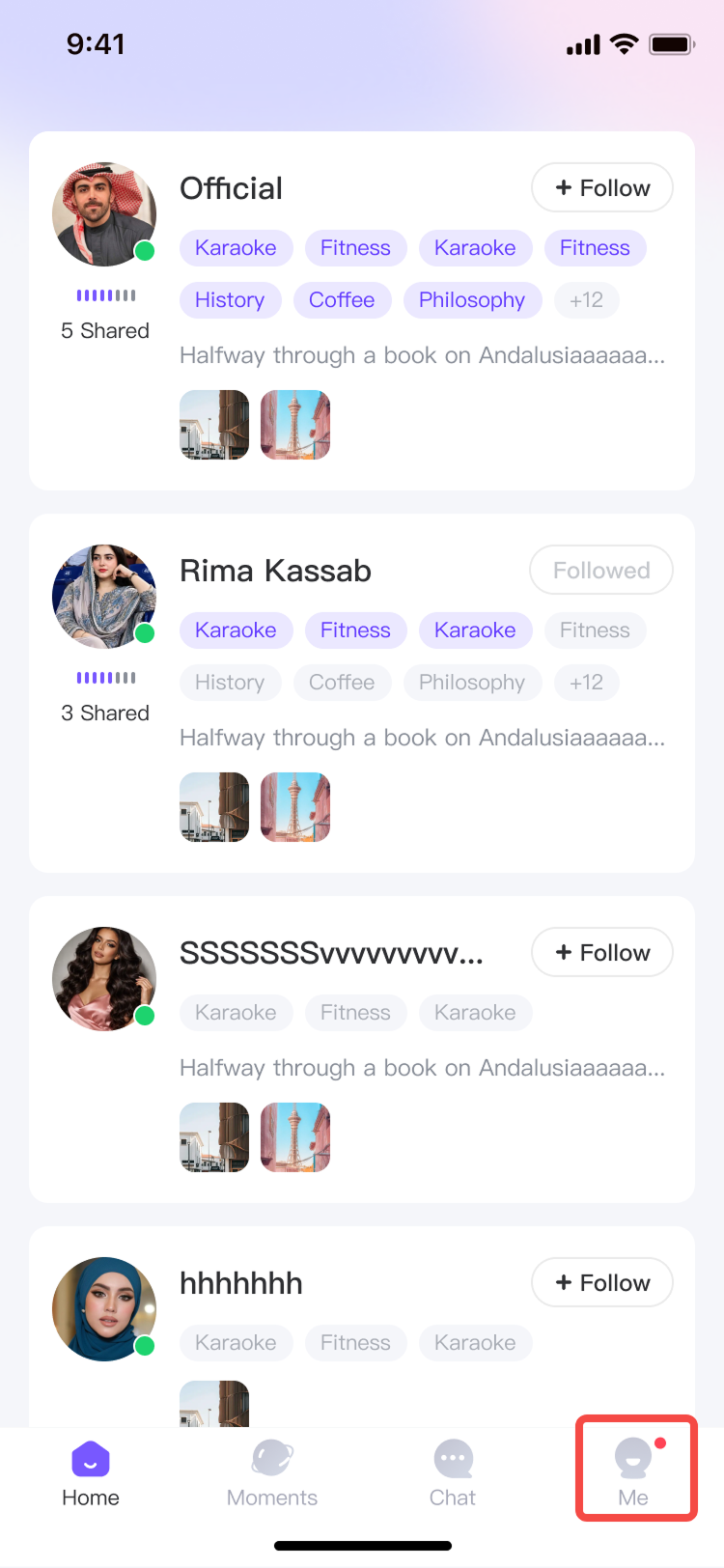
1. Open the app and go to the home screen, then tap the bottom-right corner to access the "Me" page.
-
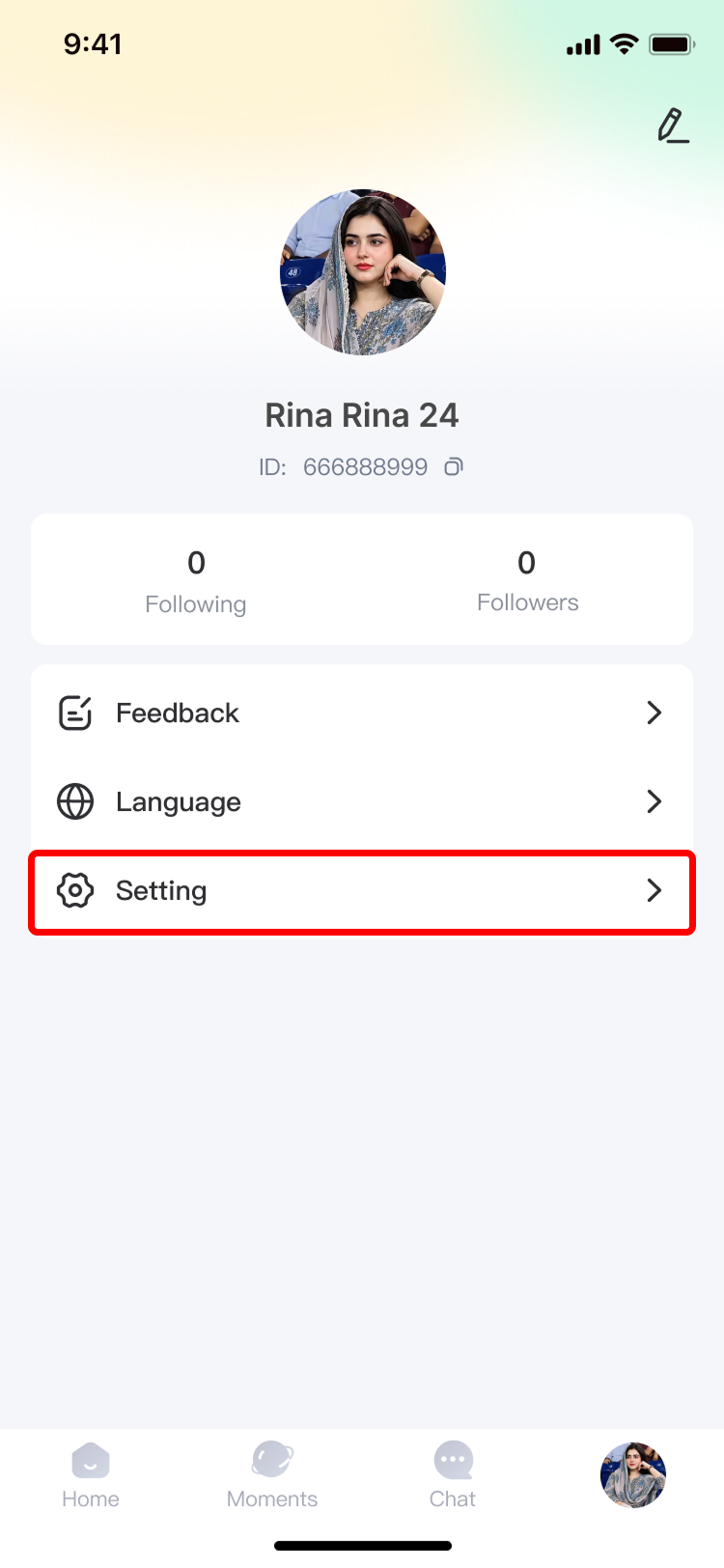
2. On that page, tap "Settings."
-
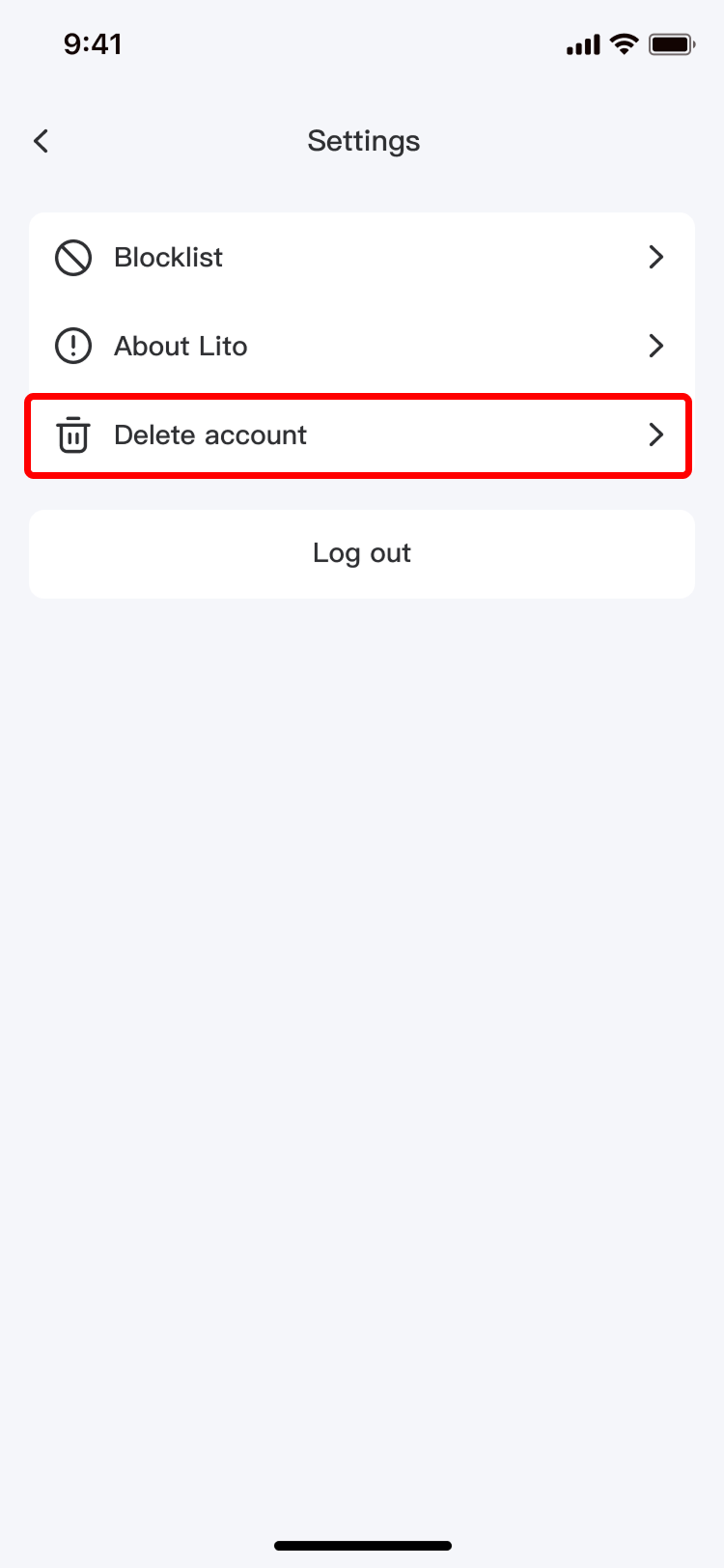
3. Within the settings menu, tap "Delete Account."
-
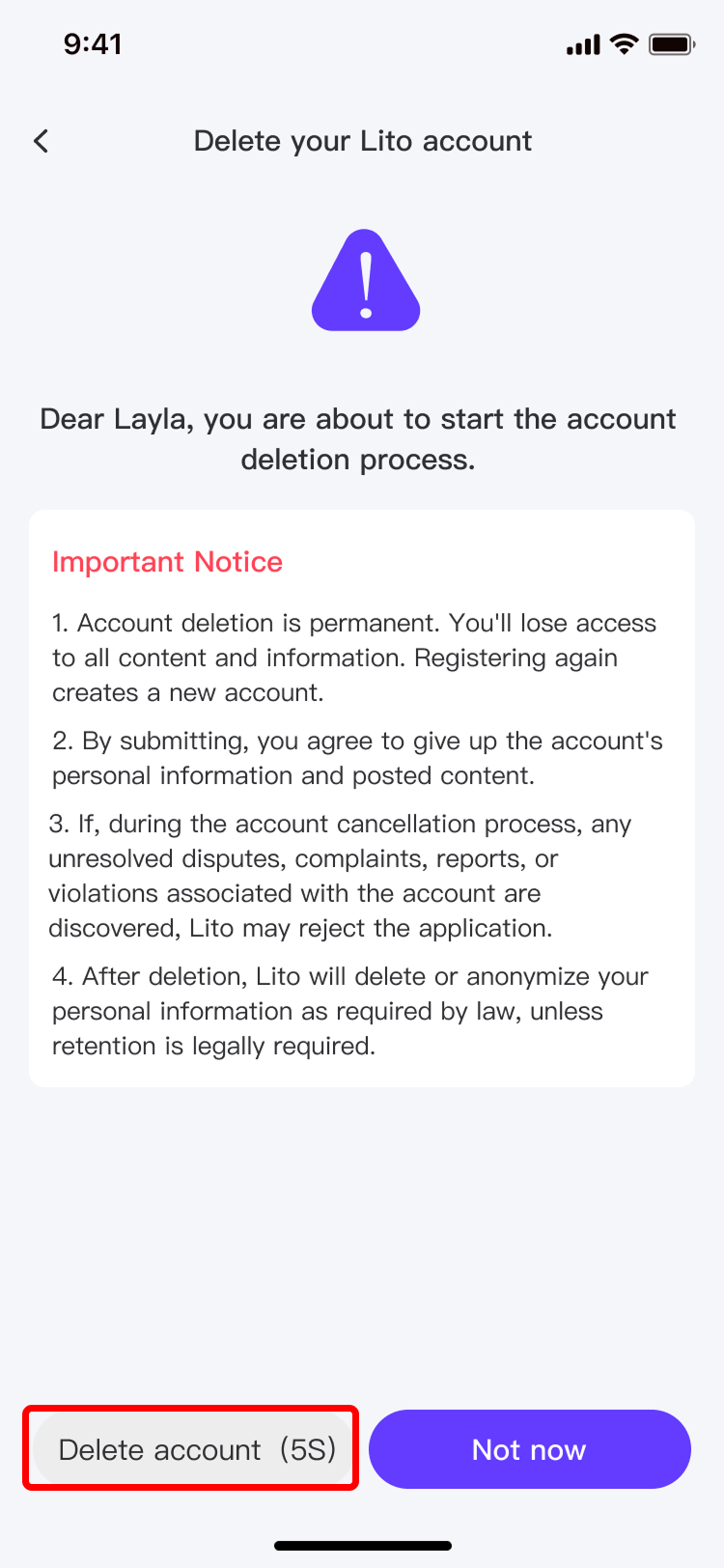
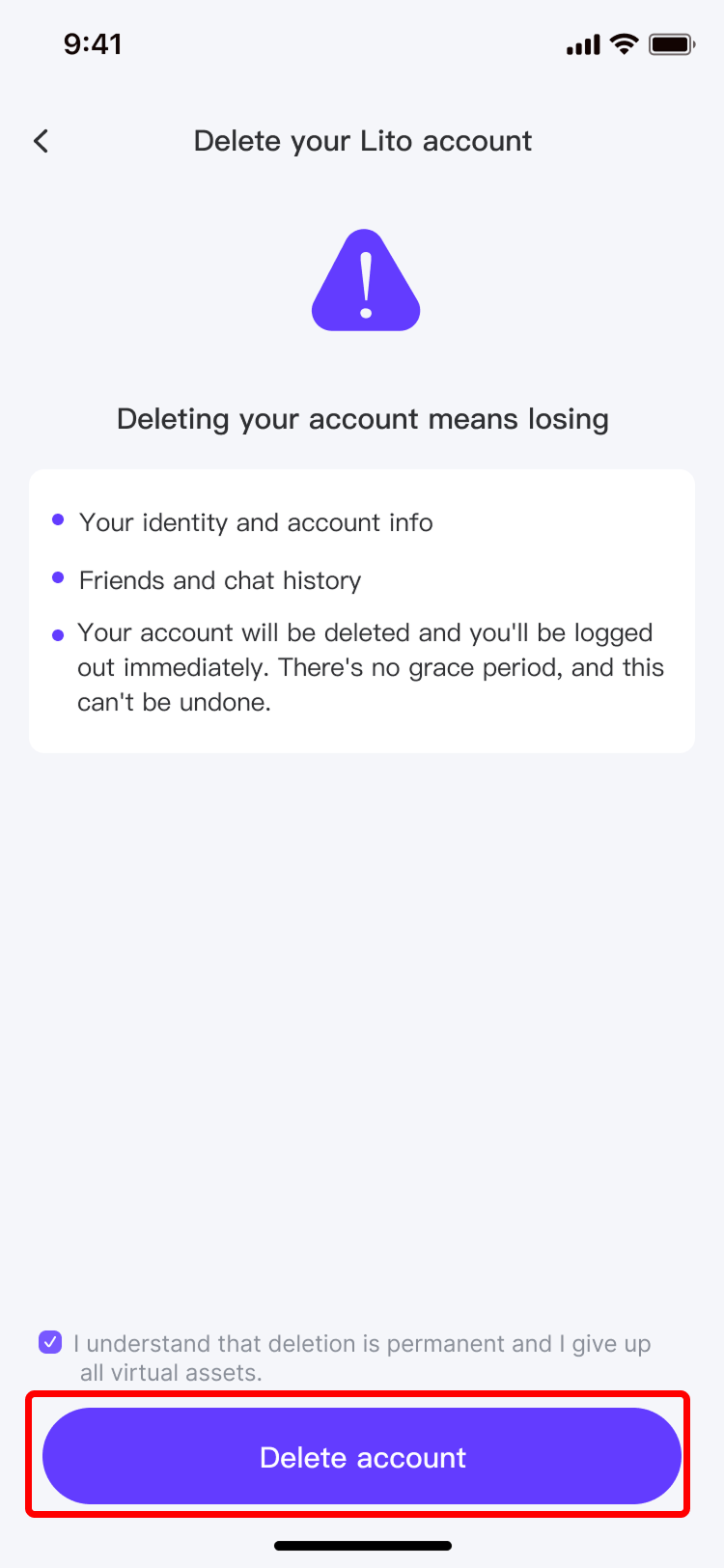
4. Complete the first step to confirm the permanent deletion of your account.
-
5. Complete the second step to confirm the permanent deletion of your account.
-
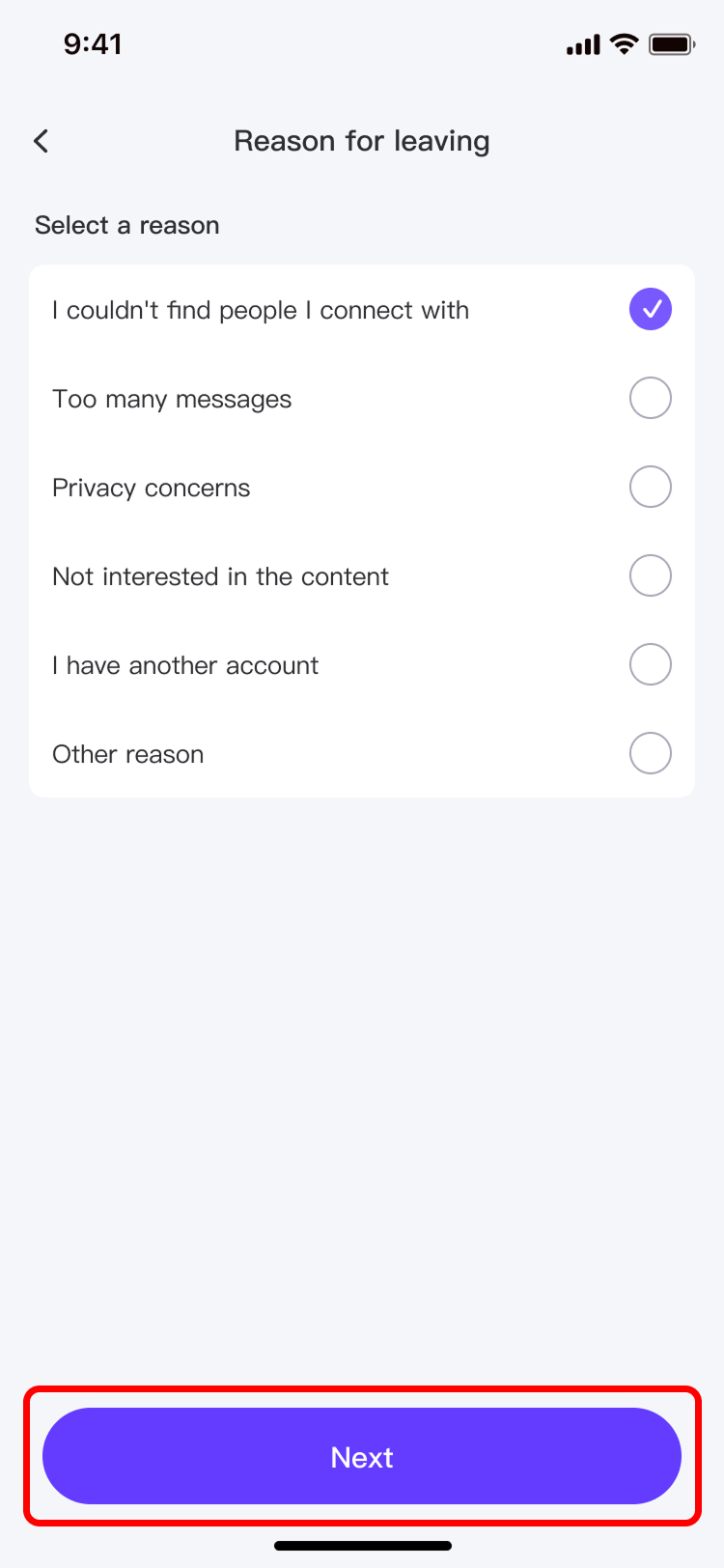
6. Complete the third step to confirm the deletion of all associated personal information and select a reason for deletion.
-
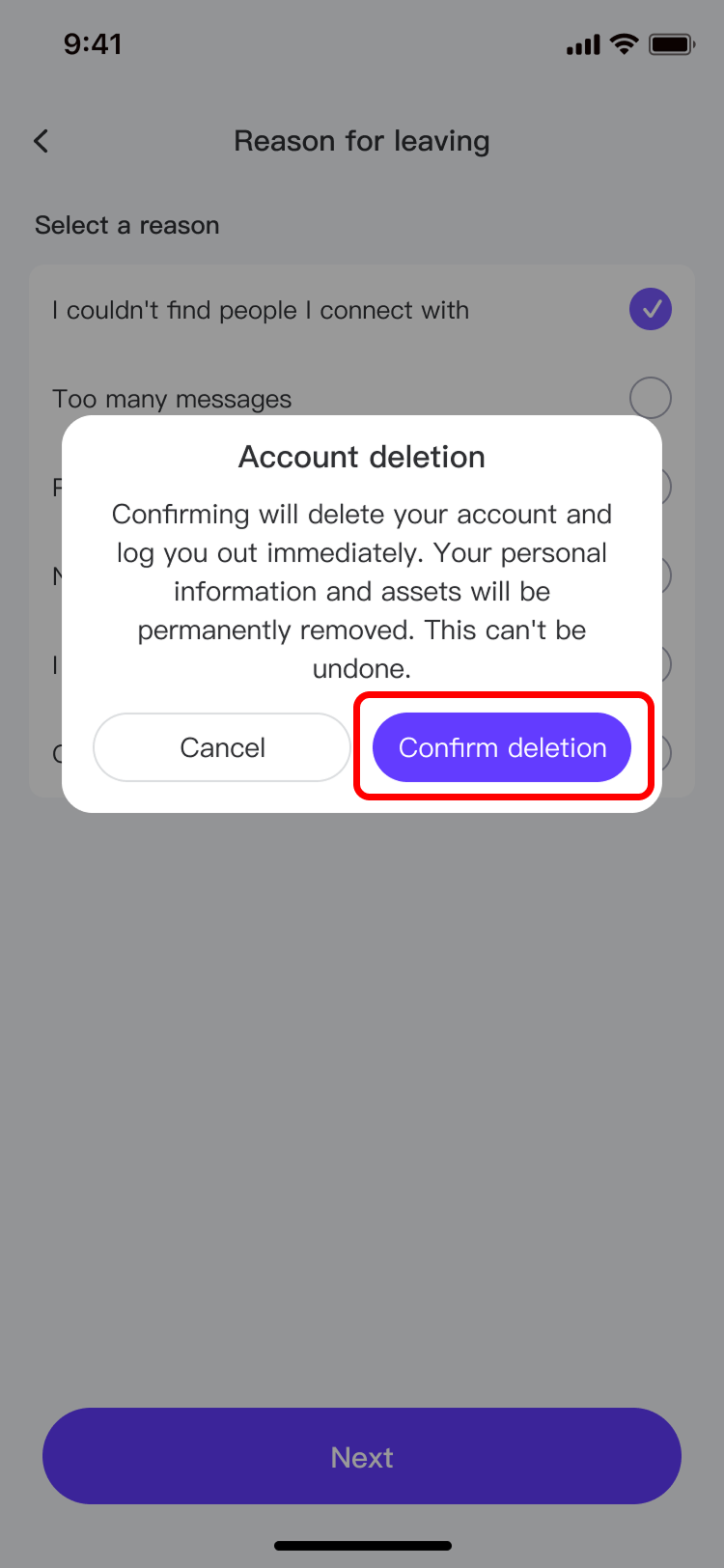
7. Complete the final step to confirm the deletion of all associated personal information.
-
8. Once all the above steps are completed, your account will be successfully deleted, and all personal information and account data will be removed. Our platform will not retain your data in our databases.